Pro68Camaro
 |
|
• Houston, TX, USA |
|
• Registered on 3/4/2005 |
|
• 8 posts |
|
|
|
 Posted:3/4/2005 16:03 Posted:3/4/2005 16:03 |
|
|
Does anyone happen to know if the 2001 Limited had an entertainment system option? Secondly, will the later model factory systems (ie. the one that relocates the a/c control to the left) actually work (bolt in as well as wire up) in an earlier (2001) Excursion? I just bought a 2001 w/o the system and would like to install one if possible. Is there a better aftermarket choice??
Did the 2001 have an option for 2nd row captain's chairs? Would 2002 2nd row chairs bolt right in in place of the bench? Thanks. |
|
J.D. Sparks
 |
|
• lil' town with a fishing problem, ND, USA |
|
• Registered on 3/4/2005 |
|
• 6 posts |
|
|
|
|
Posted:3/4/2005 23:38 |
|
|
yes the 2001 had/has the entertainment option... I have a 2001 Ex with a aftermarket system though the LCD is located in the overhead console and its an Audiovox with the infrared wireless headphones... the original dvd player was replaced with a Playstation2 a power inverter was installed as well to run the PS2. the kids love it and with the headphones makes it nice for long trips... Mom and Dad dont have to listen to the gaming! I am currently looking into possibly adding the wiring in for a Xbox as well with a cross over switch between the PS2 and Xbox.... but i do know the Audiovox unit has 3 channels so i maybe able to do it without a cross over!
As far as the rear buckets... i'm not really sure on that one... I would have to reseach it some more!...
This is the first Ex I have owned and only have had if for about a Month... but I have done a little homework on her ;)
|
|
DoubleX
 |
|
• Colmar, PA, USA |
|
• Registered on 3/3/2005 |
|
• 24 posts |
|
|
|
|
Posted:3/5/2005 07:57 |
|
|
|
I have a 2002 with second row captain's chairs. I'm pretty sure they were also offered as an option in 2001. |
|
Empire1
 |
|
• Sacramento, CA, USA |
|
• Registered on 2/17/2005 |
|
• 13 posts |
|
|
|
|
Posted:3/5/2005 08:46 |
|
|
|
JD Sparks-I also have a 2002 with the entertainment system, though mine has a video cassette player. I bought a power inverter to run my PS2 on the system (it hooks up through the AV jacks). For some reason, the only sound that plays through the wireless headphones is the cassette tape. How do you get the radio or AV input jacks to play through the wireless headphones? I checked the instruction book and found nothing. Thanks, Al |
|
J.D. Sparks
|
|
• lil' town with a fishing problem, ND, USA |
|
• Registered on 3/4/2005 |
|
• 6 posts |
|
|
|
|
Posted:3/7/2005 17:55 |
|
|
Empire... Does the VCP have audio input jacks? Is there a seperate channel on the VCP that it needs to be on when playing the PS2? Does your VCP/LCD system supply its own sound or is it thru the vehicles sound system? Sorry for all the questions just trying to get a better idea of your set up... mine being a Audiovox has 3 channels on the LCD screen so I can switch between 3 different inputs. So it makes it fairly simple to hook up multiple devices... well not that simple, the routing of the wires is a PITA.
the first thing that comes to mind is the channel on the VCP I haven't delt with to much on a VCP as far as a game console but I do know on a VCR u need to go to the AV channel to get them to work. but your sound should be able to be played thru the AV plug ins on the VCP... does the VCP have 2 or 3 AV plug-in's? if it is 2 it should be white and yellow.. the yellow AV plug-in is your video... the white is mono channel sound... if there are 3 plug-ins then u have a additional red one that is your left sound channel and the white is the right channel to provide stereo sound.
I hope this helps some... if you have tried this and need more info.. I will try and help as much as possible... I can usually be reached daily during the evenings thru the week (CST) on MSN Messenger also on weekends quite a bit... if you want feel free to add me... ID is Varmint Hunter.... or just add me by email addy [email protected] |
|
Empire1
|
|
• Sacramento, CA, USA |
|
• Registered on 2/17/2005 |
|
• 13 posts |
|
|
|
|
Posted:3/7/2005 21:43 |
|
|
I took a pic to make this easier. Check the bottom of all this writing.
The RCA jacks (aux imput) are seperate from the VCP. The console allows passengers in the back to choose between the radio stations, the VCP or the auxillary imput. There is a button to switch between speakers and headphones, but all that does is switch between a split sound system (front to back) or a single sound system.
There are no on screen displays as far as I know. The buttons on the VCP are the simple Power, stop, play, FF and rewind.
It would be great to make the PS2 come though the IR headphones. As you can see in the pic, there are headphone jacks I could use, but the IR headphones are just too cool! I cannot even get the radio to come through the IR headphones.

|
|
Empire1
|
|
• Sacramento, CA, USA |
|
• Registered on 2/17/2005 |
|
• 13 posts |
|
|
|
|
Posted:3/7/2005 21:50 |
|
|
I think I am going to give up on posting images. Two times and both times it did not work! The image is there on my FTP space, but just does not show up. I used the IMG tags. Any help?
I sure ask for a lot of help, dont I? |
|
J.D. Sparks
|
|
• lil' town with a fishing problem, ND, USA |
|
• Registered on 3/4/2005 |
|
• 6 posts |
|
|
|
|
Posted:3/7/2005 23:15 |
|
|
Do the IR headphones work off the LCD unit? I have a better understanding now of your set up with the picture... the way its currently set up, I dont believe there is a way for the IR headphones to work with the PS2... do the IR's work with just the VCP? as I noticed there is a large round window thing on the lower right hand side, or is that a remote control? I wonder if the IR headphones are linked to it only and your AV imputs I would bet are seperate from the VCP operation. Sorry just throwing out some ideas... Ummmmm my mind is racing trying to think of a way to make it work... being sight-un-sound.
give me a bit to ponder this one... as the only thing that comes to mind right now is a upgrade with a aftermarket LCD that has the IR out-put and @ least 2 channel AV imput....
|
|
E. Long

 |

• Subscriber since 1/1/2001 |
|
• Atlanta, GA, USA |
|
• Registered on 1/23/2001 |
|
• 2,186 posts |
• 1
|
|
|
Posted:3/8/2005 13:32 |
|
|
| Quote: | I think I am going to give up on posting images. Two times and both times it did not work! The image is there on my FTP space, but just does not show up. I used the IMG tags. Any help?
I sure ask for a lot of help, dont I? |
Empire1, I fixed it for you. You had it down correctly, just make sure to include the "http://" in front of the URL to the image next time...that's all!
-Eric
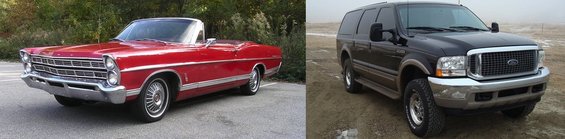
'67 Galaxie 500 - 390 FE, .030" over, FE to AOD adapter, disc brake conversion. The Daily Driver.
'00 Excursion - 7.3L PSD, LANDYOT Gen-II Radius Rods, Factory Tech Valve Body, 200K+ miles and going |
|
Empire1
|
|
• Sacramento, CA, USA |
|
• Registered on 2/17/2005 |
|
• 13 posts |
|
|
|
|
Posted:3/9/2005 08:29 |
|
|
Thanks EL for fixing my pics. On a fishing board I frequent there is no need for the http://, so I did not think it was needed here. That will teach me to think!
JD-The IR outputs are in two spots mounted on the roof console. The IR outputs are very directional, there is no sound to the headphones if worn in the front seats. The large round window on the lower right of the VCP is the remote control input.
I would like to get the pinout diagrams for the VCP. I might be able to tap into the vehicle sound system that way. |
|