Sony STR-DA1000ES Receiver Easy Setup Guide - Speaker & DVD Hookup Diagram
Reference · 2000-2012 BIG BEARAll 2 manual pages
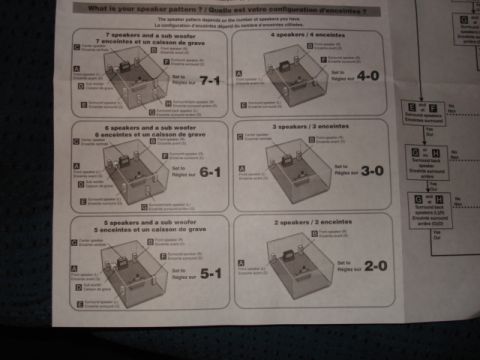
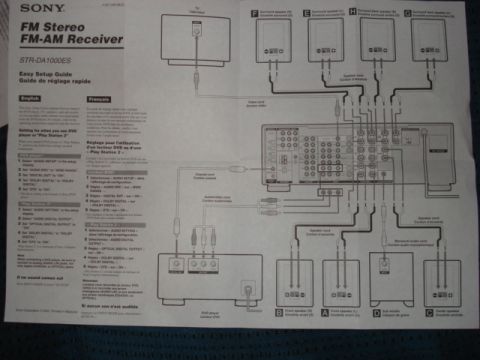
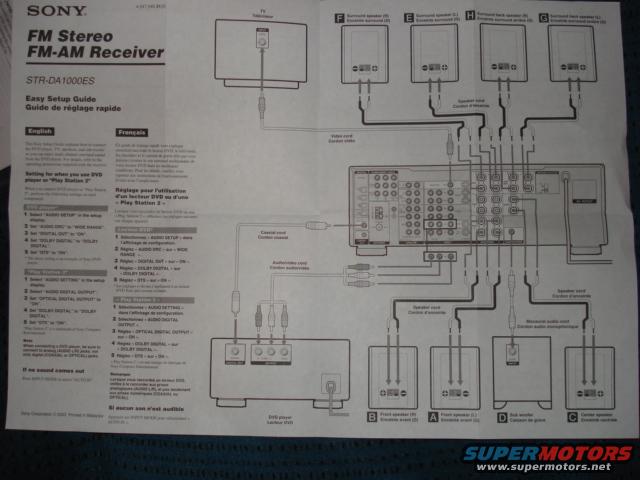
Sony STR-DA1000ES receiver easy setup guide page showing speaker and component connection wiring layout.
Part of 2000-2012 Yamaha BIG BEAR Manual Pages
This document is a Sony 'Easy Setup Guide / Guide de réglage rapide' for the STR-DA1000ES FM Stereo FM-AM Receiver, it is a home-audio quick-start sheet, not an automotive document. The sheet is bilingual (English and French) and shows a large wiring/connection diagram illustrating how to hook up a TV, DVD player, and a full speaker set (front left/right, center, surround left/right, surround back left/right, and subwoofer, labeled A through I) to the receiver using video cords, coaxial digital cords, audio/video cords, monaural audio cord, and speaker cords. The text columns give step-by-step audio-output settings for a DVD player (AUDIO SETUP → AUDIO DRC 'WIDE RANGE', DIGITAL OUT 'ON', DOLBY DIGITAL, DTS 'ON') and for a Sony 'Play Station 2' (AUDIO SETTING → OPTICAL DIGITAL OUTPUT 'ON', DOLBY DIGITAL, DTS 'ON'). A note advises connecting both analog AUDIO L/R and a digital (coaxial or optical) connection, and a troubleshooting tip says to press INPUT MODE and select 'AUTO IN' if no sound comes out. The footer indicates Sony Corporation © 2003, Printed in Malaysia. Despite being filed under a 2003 Yamaha Big Bear gallery, this sheet has no automotive applicability.
This document covers 2003, which may differ from this 2003 Yamaha BIG BEAR.
Is this accurate? Sign in to help verify it.
Frequently asked questions
- What product does this setup guide cover?
- The Sony STR-DA1000ES FM Stereo FM-AM Receiver; it is Sony's Easy Setup Guide / Guide de réglage rapide.
- What DVD player settings does the guide recommend?
- In the DVD player's AUDIO SETUP display: set AUDIO DRC to 'WIDE RANGE', DIGITAL OUT to 'ON', DOLBY DIGITAL to 'DOLBY DIGITAL', and DTS to 'ON'.
- What settings are needed when using a Play Station 2?
- Select AUDIO SETTING, then AUDIO DIGITAL OUTPUT; set OPTICAL DIGITAL OUTPUT to 'ON', DOLBY DIGITAL to 'DOLBY DIGITAL', and DTS to 'ON'.
- What speakers are shown in the connection diagram?
- Front left and right (A, B), center (C), surround left and right (E, F), surround back left and right (G, I), and a subwoofer (H), plus a TV and DVD player.
- What should I do if no sound comes out?
- Press INPUT MODE to select 'AUTO IN', per the guide's troubleshooting note.
No comments yet.