Computer BIOS screen showing CPU and memory settings, with a bri…
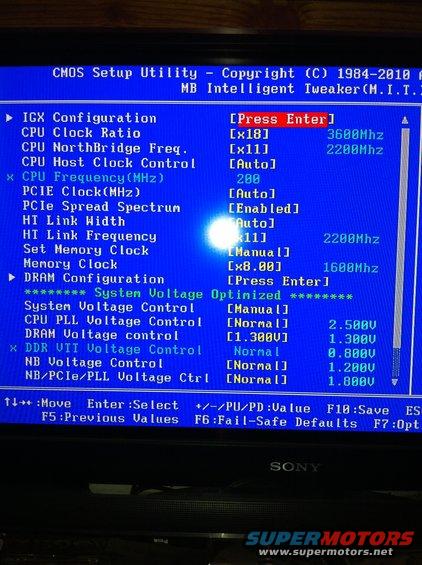
A computer's BIOS setup utility screen displays various system configuration options.
CHUS Setup Utilitg Copyright (C) 1984-2818 I MB Intelligent TueakertH.I.T.l I IGX Configuration CPU Clock Ratio [x18] BEBBMhz CPU NorthBridge Freq. [x11] ZZBBth CPU Host Clock Control [Hutu] x CPU Frequencg(HHz) 288 PCIE ClockiMHz) [Hutu] PCIe Spread Spectrum Enabled] HI Link Nidth ' HT Link Frequency 1] ZZBBMhz Set Memory Clock anymanual] Hemorg Clock [XB.BB] IBBBth r DRHM Configuration [Press Enter] ******** Sgstem Uoltage Optimized ******** Sgstem Uoltage Control [Manual] CPU PLL Uoltage Control [Normal] 2.583U DRHN Uoltage control [1.BBBU] 1.388U x DDR UTI Uoltage Control Normal B.BBBU NB Uoltage Control [Normal] 1.268U NB/PCIe/PLL Uoltage Ctrl [Normal] LEBBU i Tl++=Houe Enter:Select +//PU/PD:Ualue F5:Preuious Ualues FB:FailSafe Defaults F13:Saue ES F?:Upt _ 11 t.
Is this accurate? Sign in to help verify it.
Comments
More from this build











No comments yet.